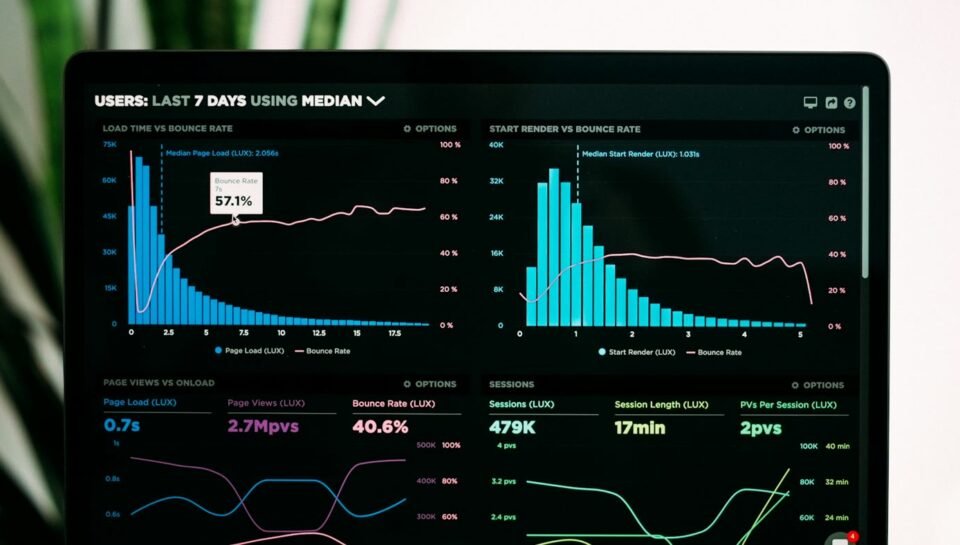
Marketing teams in UK and UAE SMEs still drown in GA4 exports, spreadsheet mash-ups and slide decks nobody trusts. In 2026, connecting GA4 to Looker Studio and using Google’s AI/Gemini-assisted insights can turn raw events into weekly decisions—if your measurement hygiene is solid first.
This guide is for agency account leads, in-house growth marketers and founders who need actionable reporting without a full BI team. We cover GA4 setup hygiene, Looker Studio dashboard patterns, Gemini-in-Looker capabilities, AI-referral tracking, and UK GDPR / UAE PDPL notes.
Start with GA4 hygiene (AI cannot fix broken events)
Before any dashboard or “ask the data” chat, confirm the basics:
- One clear property per brand/site (or a documented roll-up strategy)—not three forgotten tags firing on the same page.
- Key events / conversions named and tested: form submit, WhatsApp click, booked call, purchase, qualified lead.
- Consent mode / CMP alignment for UK/EU visitors so analytics and ads behaviour match what users chose.
- UTM discipline on paid, email and partner links so channel reports are readable.
- Internal traffic filters and a staging exclusion so staff QA does not inflate sessions.
If those are messy, Looker Studio will only visualise the mess faster. Fix tagging in GTM/GA4, then visualise.
Connect GA4 to Looker Studio the official way
Google’s Looker Studio documentation explains how to connect a Google Analytics 4 property: create a data source, choose the Google Analytics connector, authorise, select account + property, then Connect. You need at least Read & Analyze permission on the GA4 property.
Practical tips for SME and agency setups:
- Prefer a reusable data source owned by a shared Workspace/Cloud identity so staff turnover does not break reports.
- Use owner’s credentials carefully when clients should view a report without GA4 access; document who can see which properties.
- Remember reports that hit GA4 Data API quotas can error—keep heavy explorations lean or schedule extracts for large multi-client estates.
Dashboard pages that marketing teams actually use
Avoid a 20-chart “everything” board. A durable SME marketing pack usually has four pages:
- Executive pulse — sessions, key events, revenue or lead volume, WoW/MoM trend, top channels.
- Acquisition — channel group, source/medium, campaign; landing page table with engagement rate and conversions.
- Content / SEO assist — landing pages, organic landing performance; optional Search Console blend for queries (separate data source).
- Funnel & CRM bridge — form → call booked → qualified (even if the last step is imported from Sheets/CRM).
Agencies serving multiple UK and UAE clients should add a data control where appropriate so one template switches property—Google documents this pattern for Analytics connectors. Keep UAE vs UK market filters (country or city) visible when campaigns span both regions.
Gemini and AI insights in Looker / Looker Studio
At Google Cloud Next ’24, Google introduced Gemini in Looker capabilities such as Conversational Analytics (natural-language questions over governed metrics), report generation from short prompts, formula assistance, visualisation help and slide generation into Google Workspace. Availability and packaging (including Looker Studio Pro / Trusted Tester features) change over time—confirm what your Workspace or Cloud admin has enabled before promising “chat with GA4” to a client.
How SMEs should use AI features responsibly:
- Ask for anomalies, not strategy. “Which landing pages dropped conversion WoW?” beats “How should we grow?”
- Verify the underlying chart before you paste an AI summary into a client deck.
- Keep metric definitions in one place (GA4 key events + Looker calculated fields) so conversational answers stay consistent.
AI assistance accelerates exploration; it does not replace a named analyst owner for client-facing numbers.
Track AI-referred traffic without vanity metrics
In 2026, some sessions arrive from ChatGPT, Perplexity, Gemini and similar tools. GA4 does not always present these as a clean comparable channel out of the box. Community Looker Studio templates (for example GA4-based AI traffic boards) filter known referrers and compare them with organic search and social.
Treat AI referrals as an experimental channel:
- Build a calculated source group for known AI hostnames where referrers exist.
- Compare engagement rate and conversion rate vs organic—not just session volume.
- Accept that some AI clients strip referrers (those land as Direct); do not over-claim attribution.
Use insights to improve FAQ pages and comparison content—the same practical content mindset as our automation and CRM guides—rather than chasing “AI SEO” slogans.
From insights to action (the weekly ritual)
A dashboard without a ritual becomes wallpaper. Run a 30-minute weekly review:
- What moved (channel, landing page, campaign)?
- Which change did we ship last week that could explain it?
- One test for next week (copy, CTA, audience, landing).
- One data fix (broken event, missing UTM, consent issue).
Pipe “booked call” and “qualified lead” into the same board your sales team trusts—linking analytics to CRM follow-up like we describe in no-code CRM follow-up workflows and digital customer onboarding automation. For WhatsApp-heavy UAE funnels, align click-to-chat events with the measurement ideas in our WhatsApp Business API + CRM playbook.
Compliance notes (UK GDPR and UAE PDPL)
Analytics identifiers and form fields are personal data. Follow UK GDPR principles—lawfulness, purpose limitation, minimisation and security—and honour consent signals. The ICO data protection principles guide is a useful checklist for marketing stacks.
For UAE entities, PDPL still applies to personal data in analytics and CRM exports. Minimise PII in Looker Studio shares, restrict who can export raw tables, and avoid dropping customer emails into consumer AI tools when “asking the data.” Prefer Workspace/Gemini features under your organisation’s admin controls and DPAs.
Four-week implementation plan
- Week 1 — Audit tags, key events, consent, UTMs; document definitions.
- Week 2 — Build Looker Studio data source + Executive + Acquisition pages.
- Week 3 — Add content/funnel pages; optional AI-referral segment; enable Gemini features if licensed.
- Week 4 — Weekly ritual with sales; freeze a v1 template; train one backup owner.
Common reporting mistakes we see in SME audits
- Counting pageviews as success. Prefer key events tied to revenue or sales capacity (booked calls, qualified WhatsApp chats).
- Mixing UK and UAE campaigns without filters. Dual-market brands need separate views or clear country segments before comparing CPA.
- Sharing editable Looker Studio links too widely. Give viewers view-only access; keep data-source credentials under an admin-owned account.
- Letting AI summaries go client-facing unedited. Gemini can draft; humans still verify the chart and the business explanation.
- Ignoring consent gaps. If CMP and tags disagree, trend lines after a CMP change will look like performance swings.
When you later automate reporting emails or Slack digests, keep the same human review bar you would apply to AI agents elsewhere in the stack—see our notes on human-in-the-loop approval gates for a useful mindset, even when the “agent” is only a scheduled insight email.
FAQ
Is Looker Studio free enough for SMEs?
Many teams run valuable GA4 dashboards on Looker Studio’s free tier. Gemini-assisted features and Pro collaboration options may require Looker Studio Pro or admin enablement—check current Google packaging for your account.
Can Gemini replace our analyst?
No. It speeds exploration and first-draft summaries. Someone still owns definitions, QA and client narrative.
Should we blend Search Console and GA4?
Yes for SEO workstreams—but keep them as separate data sources and be explicit about what each chart measures (queries vs sessions).
How do UAE multi-market sites report cleanly?
Use country/city filters, consistent UTMs per market, and separate conversion events when lead processes differ (e.g. WhatsApp vs form).
How Creative & Co. can help
Creative & Co. builds websites, apps and marketing automation for UK & UAE SMEs—including GA4/GTM hygiene, Looker Studio reporting packs and CRM-connected lead funnels. If you want a dashboard your team opens every Monday, get in touch.